
Category: Caisse & POS

Logiciel de caisse, point de vente et encaissement pour les commerces au Maroc.

  • Top 3 Free POS Systems in Casablanca in 2026

    Top 3 Free POS Systems in Casablanca in 2026

    This article is also available in:Françaisالعربية

    Opening a shop in Casablanca and looking for a free point of sale that actually works? We reviewed the free POS options available in Morocco and kept three serious ones. Only one runs 100% offline as a desktop app, with receipt printing in both Arabic and French.
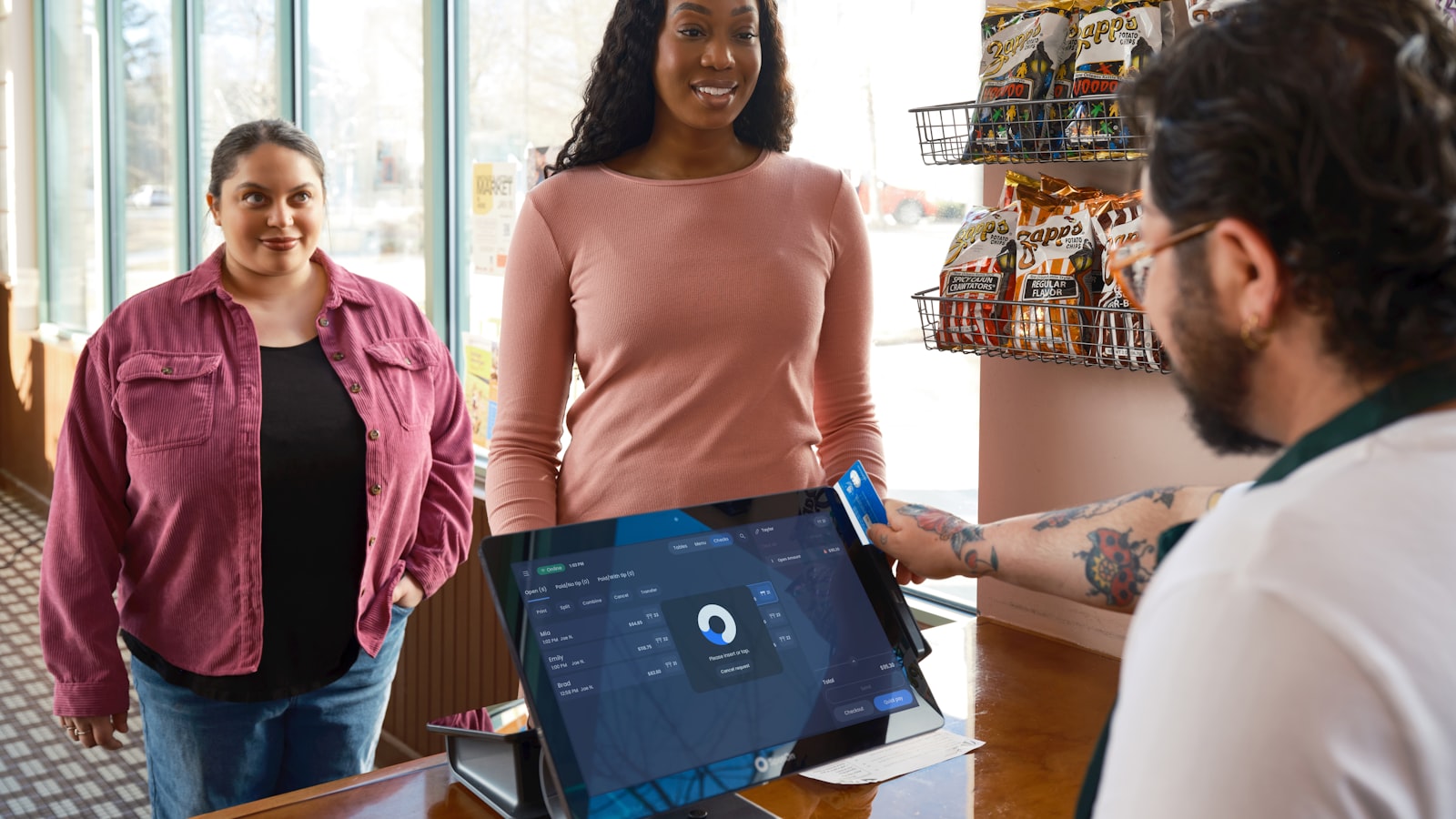
    Free point of sale software in use at a shop counter
    A free POS is more than enough to start a retail business in Casablanca.

    How we compared them

    In Casablanca, as anywhere in Morocco, a till has to keep taking payments when the connection drops. So we ranked these tools on practical criteria rather than the length of their feature lists:

    • Genuine offline operation — sell, print and update stock with no internet.
    • Lasting free tier — a truly free licence, not a 14-day trial.
    • Built-in inventory — stock levels, categories and barcode scanning included.
    • Languages — interface and receipts in French, Arabic and English.
    • Affordable hardware — a Windows PC, a thermal printer and an off-the-shelf barcode scanner.

    1. BelloPOS Lite — the best free POS in Morocco

    BelloPOS Lite takes first place for a simple reason: it is a desktop app that runs entirely on your own machine, with a free lifetime licence. No subscription, no time limit, and no dependency on connectivity. ADSL outage, fibre cut, data plan finished — the till keeps working and your sales stay recorded.

    It is also the only one of the three designed for Moroccan retail from the start, with the interface and receipt printing available in French, Arabic and English.

    What the free version includes

    • 100% offline operation — sales, refunds and inventory with no internet
    • Inventory management with stock levels per product and category
    • Barcode scanning and barcode label printing
    • Receipt printing and thermal printer setup
    • Customer-facing second screen, customer balances, sales history and catalogue
    • Up to 3 users included

    The limits worth knowing

    To be straight with you: the Lite version shows a watermark, caps you at 3 users, and offers neither granular role permissions nor invoice export. If you need those, BelloPOS Go lifts the user limit for a one-off payment — still no subscription. For a shop starting out, the free version covers the essentials.

    Shopkeeper behind the counter of a neighbourhood store with a POS
    Grocery, bookshop, hardware store — a free till is enough to run a neighbourhood business.

    2. Loyverse — the best free POS on a tablet

    Loyverse is a free point of sale app for Android and iOS, widely used by small shops and cafés. The free plan covers sales, the product catalogue, a loyalty programme and basic reports, with a back office you reach from a browser. The app keeps an offline mode: sales made without a network sync once the connection returns.

    Bear in mind: Loyverse runs on a tablet or phone, not on a Windows PC. Advanced inventory and employee management are paid monthly add-ons. It is a good pick if you already work on tablets and your catalogue stays simple.

    3. Odoo POS — the most complete, and the most technical

    Odoo is an open-source business suite whose Point of Sale module can be used free of charge: either through the self-hosted Community edition, or through the online offer that allows one app for free. Once the session is open in the browser, the till keeps working even if the connection drops.

    Bear in mind: Odoo is powerful — accounting, purchasing, multi-warehouse stock — but installing and configuring it takes real technical support, and the free tier ends the moment you enable a second app. Best kept for businesses that already have an IT person or an integrator.

    Side-by-side comparison

    BelloPOS LiteLoyverseOdoo POS
    PriceFree for lifeFree (paid add-ons)Free (1 app)
    PlatformWindows PCAndroid / iOSBrowser
    Offline100% offlineOffline mode with syncAfter session opens
    InventoryIncludedBasic (advanced is paid)Full
    BarcodesScan + labelsScanScan
    ArabicInterface and receiptsInterfaceInterface
    SetupImmediateImmediateTechnical

    Why offline mode changes everything in Casablanca
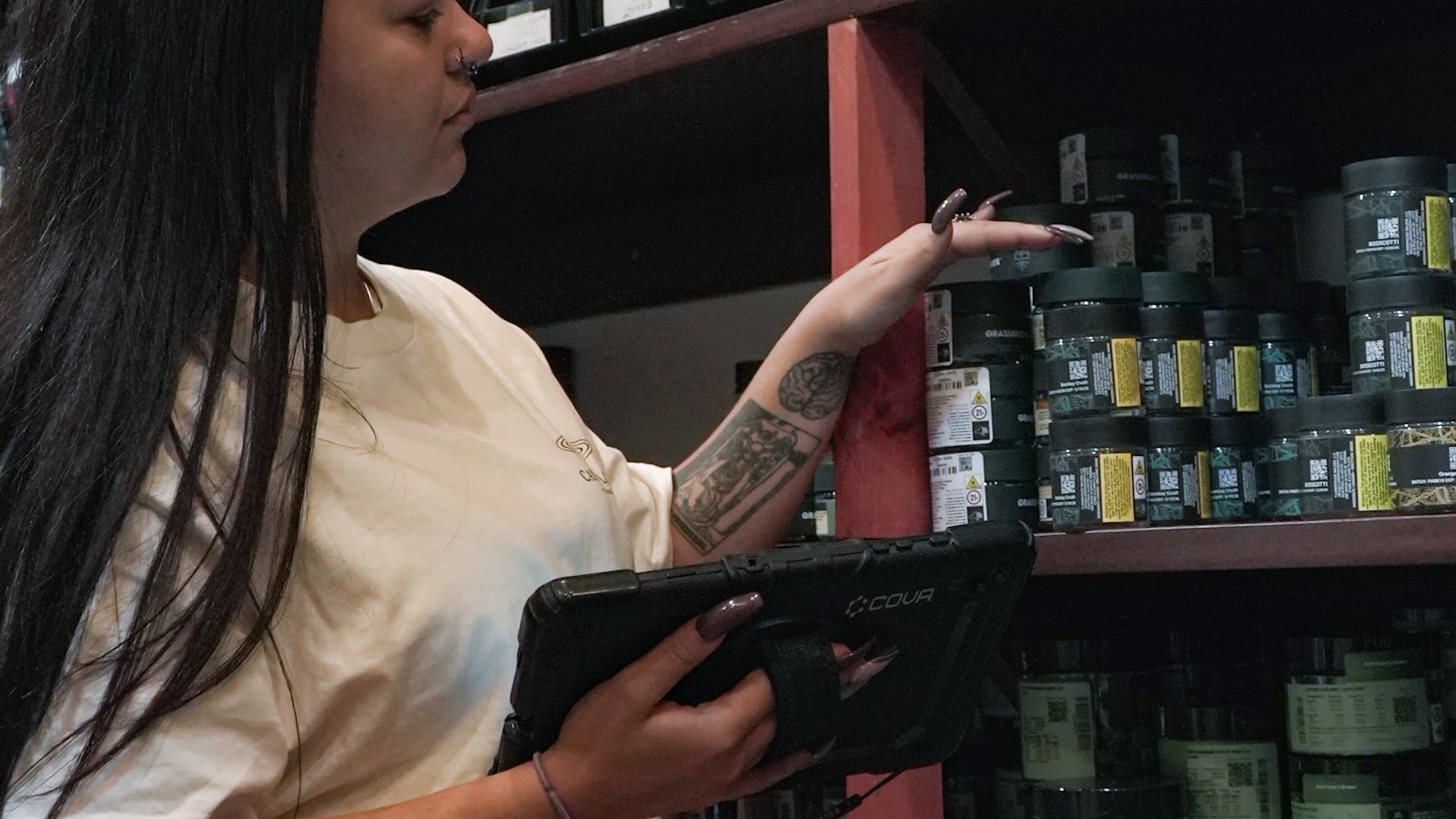
    Offline inventory management and stock check on shelves with a tablet
    An offline inventory stays readable even when the network goes down.

    A cloud-only till stops dead the moment connectivity weakens — always at the worst time, mid-queue. With an offline point of sale, the data lives on your machine: checkout, inventory management and offline inventory stay available at all times. That is the main reason we put a desktop app ahead of fully web-based options.

    Frequently asked questions

    Is there a genuinely free POS in Morocco?

    Yes. BelloPOS Lite ships with a free lifetime licence, with no subscription and no time limit. Loyverse and Odoo also offer free tiers, with different restrictions.

    What hardware do I need to start?

    A Windows PC, a thermal receipt printer and a USB barcode scanner are enough. A second screen facing the customer is a bonus, and it is supported from the free version onwards.

    Can I manage stock without an internet connection?

    Yes — that is exactly the point of an offline inventory app: stock movements and levels are recorded locally, then readable and printable with no network at all.

    Does it support Arabic?

    BelloPOS offers its interface and receipt printing in Arabic, French and English — an important detail for Moroccan shops whose customers are mostly Arabic-speaking.


    Our verdict

    For a shop in Casablanca that wants a dependable till without paying a subscription, BelloPOS Lite is the best starting point: free for life, fully offline, with inventory management and barcode scanning included. Loyverse suits businesses already running on tablets, and Odoo suits companies with technical support behind them.

    Casablanca, Morocco, where shops are adopting free POS software
    Casablanca has the highest concentration of retail businesses in Morocco.

    BelloPOS is used by shops in Casablanca, Rabat, Marrakech, Fez, Tangier, Agadir, Meknes, Oujda, Kenitra, Tetouan, Sale, Mohammedia, Safi, El Jadida, Beni Mellal, Nador, Khouribga, Settat, Berrechid, Larache, Essaouira, Ouarzazate, Errachidia, Taza, Laayoune and Dakhla.

    Try BelloPOS for free

    Install BelloPOS Lite on your PC and ring up your first sale today — no subscription, no connection required.

  • أفضل 3 أنظمة نقاط بيع مجانية في الدار البيضاء لسنة 2026

    أفضل 3 أنظمة نقاط بيع مجانية في الدار البيضاء لسنة 2026

    هذا المقال متوفر أيضًا بـ:FrançaisEnglish

    هل تفتح متجرًا في الدار البيضاء وتبحث عن برنامج نقاط بيع مجاني يعمل فعلًا؟ جرّبنا حلول نقطة البيع المجانية المتوفرة في المغرب واخترنا ثلاثة خيارات جدّية. واحد منها فقط يعمل بدون إنترنت بشكل كامل على حاسوب مكتبي، مع طبع التذاكر بالعربية والفرنسية.

    برنامج نقاط بيع مجاني قيد الاستخدام على منصة متجر
    نظام نقاط بيع مجاني يكفي تمامًا لبدء نشاط تجاري في الدار البيضاء.

    معايير المقارنة

    في الدار البيضاء كما في بقية المغرب، يجب أن يستمر نظام نقاط البيع في العمل عند انقطاع الاتصال. لذلك رتّبنا هذه البرامج حسب معايير عملية، وليس حسب طول قائمة الميزات:

    • عمل حقيقي بدون إنترنت — البيع والطبع وتحديث المخزون دون اتصال.
    • مجانية دائمة — ترخيص مجاني فعلي، وليس تجربة لمدة 14 يومًا.
    • إدارة المخزون مدمجة — الجرد والتصنيفات وقراءة الباركود.
    • اللغات — الواجهة والتذاكر بالعربية والفرنسية والإنجليزية.
    • عتاد في المتناول — حاسوب ويندوز، طابعة حرارية وقارئ باركود عادي.

    1. BelloPOS Lite — أفضل نظام نقاط بيع مجاني في المغرب

    يحتل BelloPOS Lite المرتبة الأولى لسبب بسيط: إنه تطبيق مكتبي يعمل بالكامل على جهازك، مع ترخيص مجاني مدى الحياة. لا اشتراك، ولا حدّ زمني، والأهم: لا اعتماد على الاتصال. انقطاع ADSL أو الألياف أو نهاية رصيد 4G — يستمر نظام نقاط البيع في العمل وتبقى مبيعاتك مسجّلة.

    وهو كذلك الحل الوحيد من الثلاثة المصمّم من البداية للتجارة المغربية، مع واجهة وطبع للتذاكر بالعربية والفرنسية والإنجليزية.

    ما تشمله النسخة المجانية

    • عمل بدون إنترنت 100٪ — البيع والإرجاع والجرد دون اتصال
    • إدارة المخزون ومتابعة الكميات حسب المنتج والتصنيف
    • قراءة الباركود وطبع ملصقات المنتجات
    • طبع التذاكر وإعداد الطابعة الحرارية
    • شاشة ثانية للعميل، أرصدة العملاء، سجل المبيعات وكتالوج المنتجات
    • حتى 3 مستخدمين

    حدود يجب معرفتها

    لنكن صريحين: نسخة Lite تُظهر علامة مائية، وتقتصر على 3 مستخدمين، ولا توفّر إدارة دقيقة للأدوار ولا تصدير الفواتير. لهذه الحاجات، يرفع BelloPOS Go عدد المستخدمين بدون حدود مقابل دفعة واحدة — ودائمًا بدون اشتراك. أما المتجر الذي يبدأ نشاطه، فالنسخة المجانية تغطي الأساسيات.

    تاجرة خلف منصة متجرها مع نظام نقاط بيع
    بقالة أو مكتبة أو محل أدوات: نظام نقاط بيع مجاني يكفي لتسيير متجر قريب.

    2. Loyverse — أفضل نظام نقاط بيع مجاني على اللوحيات

    Loyverse هو تطبيق نقطة بيع مجاني لأندرويد وiOS، منتشر كثيرًا بين المتاجر الصغيرة والمقاهي. تغطي الخطة المجانية المبيعات وكتالوج المنتجات وبرنامج ولاء وتقارير أساسية، مع لوحة إدارة عبر المتصفح. ويحتفظ التطبيق بوضع بدون اتصال: تُزامن المبيعات عند عودة الشبكة.

    للانتباه: يعمل Loyverse على اللوحيات والهواتف، وليس على حاسوب ويندوز. أما إدارة المخزون المتقدمة وإدارة الموظفين فهي إضافات شهرية مدفوعة. خيار جيد إن كنت تعمل بلوحية وكتالوجك بسيط.

    3. Odoo POS — الأشمل، والأكثر تقنية

    Odoo هي منظومة تسيير مفتوحة المصدر، ويمكن استخدام وحدة نقطة البيع فيها مجانًا: إمّا عبر نسخة Community التي تستضيفها بنفسك، أو عبر العرض السحابي الذي يسمح بتطبيق واحد مجانًا. وبعد فتح الجلسة في المتصفح، يستمر نظام نقاط البيع في العمل حتى عند انقطاع الاتصال.

    للانتباه: Odoo قوي — محاسبة ومشتريات ومخزون متعدد المستودعات — لكن التركيب والإعداد يتطلبان مواكبة تقنية حقيقية، وتنتهي المجانية بمجرد تفعيل تطبيق ثانٍ. مناسب للمنشآت التي لديها تقني أو شركة تكامل.

    جدول المقارنة

    BelloPOS LiteLoyverseOdoo POS
    السعرمجاني مدى الحياةمجاني (إضافات مدفوعة)مجاني (تطبيق واحد)
    المنصةحاسوب ويندوزأندرويد / iOSالمتصفح
    بدون إنترنتبدون إنترنت 100٪وضع دون اتصال مع مزامنةبعد فتح الجلسة
    إدارة المخزونمدمجةأساسية (المتقدمة مدفوعة)كاملة
    الباركودقراءة + ملصقاتقراءةقراءة
    العربيةالواجهة والتذاكرالواجهةالواجهة
    الانطلاقفوريفوريتقني

    لماذا يغيّر العمل بدون إنترنت كل شيء في الدار البيضاء

    إدارة المخزون والجرد بدون إنترنت في الرفوف عبر لوحية
    الجرد بدون إنترنت يبقى متاحًا حتى عند انقطاع الشبكة.

    نظام نقاط البيع المرتبط بالسحابة يتوقف فورًا عند ضعف الاتصال — وغالبًا في أسوأ وقت، وسط صفّ من العملاء. أما مع نقطة بيع بدون إنترنت، فالبيانات تبقى على جهازك: الأداء وإدارة المخزون والجرد بدون إنترنت متاحة دائمًا. هذا هو السبب الرئيسي لتقديمنا تطبيقًا مكتبيًا على الحلول التي تعمل بالمتصفح فقط.

    أسئلة شائعة

    هل يوجد نظام نقاط بيع مجاني فعلًا في المغرب؟

    نعم. يأتي BelloPOS Lite بترخيص مجاني مدى الحياة، بدون اشتراك وبدون حدّ زمني. كما يوفّر Loyverse وOdoo عروضًا مجانية بقيود مختلفة.

    ما العتاد اللازم للبدء؟

    يكفي حاسوب ويندوز وطابعة حرارية للتذاكر وقارئ باركود بمنفذ USB. والشاشة الثانية الموجّهة للعميل إضافة مفيدة، وهي مدعومة من النسخة المجانية.

    هل يمكنني تسيير المخزون دون اتصال بالإنترنت؟

    نعم، وهذا بالضبط جدوى تطبيق إدارة المخزون بدون إنترنت: تُسجّل الحركات والكميات محليًا، ثم يمكن استعراضها وطبعها دون أي شبكة.

    هل يدعم البرنامج العربية؟

    يوفّر BelloPOS واجهته وطبع التذاكر بالعربية والفرنسية والإنجليزية — وهي نقطة مهمة للمتاجر المغربية التي أغلب زبنائها ناطقون بالعربية.


    خلاصتنا

    لمتجر في الدار البيضاء يريد نظام نقاط بيع موثوقًا دون أداء اشتراك، يبقى BelloPOS Lite أفضل نقطة انطلاق: مجاني مدى الحياة، يعمل بدون إنترنت بالكامل، مع إدارة المخزون وقراءة الباركود. أما Loyverse فيناسب المتاجر المجهّزة أصلًا باللوحيات، وOdoo يناسب المنشآت المدعومة تقنيًا.

    الدار البيضاء، المغرب، حيث تتبنّى المتاجر أنظمة نقاط البيع المجانية
    الدار البيضاء تضمّ أكبر كثافة تجارية في المغرب.

    يُستعمل BelloPOS في متاجر بالدار البيضاء، الرباط، مراكش، فاس، طنجة، أكادير، مكناس، وجدة، القنيطرة، تطوان، سلا، المحمدية، آسفي، الجديدة، بني ملال، الناظور، خريبكة، سطات، برشيد، العرائش، الصويرة، ورزازات، الرشيدية، تازة، العيون والداخلة.

    جرّب BelloPOS مجانًا

    ثبّت BelloPOS Lite على حاسوبك وسجّل أول عملية بيع اليوم — بدون اشتراك وبدون حاجة إلى اتصال.

  • Top 3 des logiciels de caisse gratuits à Casablanca en 2026

    Top 3 des logiciels de caisse gratuits à Casablanca en 2026

    Cet article est aussi disponible en :العربيةEnglish

    Vous ouvrez un commerce à Casablanca et vous cherchez un logiciel de caisse gratuit qui fonctionne vraiment ? Nous avons testé les solutions de point de vente gratuites disponibles au Maroc et retenu trois options sérieuses. Une seule fonctionne à 100 % hors ligne sur un PC de bureau, avec impression des tickets en arabe et en français.

    Logiciel de caisse gratuit utilisé sur un comptoir de magasin
    Un logiciel de caisse gratuit suffit largement pour démarrer un commerce à Casablanca.

    Nos critères de comparaison

    À Casablanca comme dans le reste du Maroc, une caisse doit continuer à encaisser quand la connexion tombe. Nous avons donc classé ces logiciels selon des critères concrets, pas selon la longueur de leur liste de fonctionnalités :

    • Fonctionnement hors ligne réel — encaisser, imprimer et mettre à jour le stock sans internet.
    • Gratuité durable — une licence réellement gratuite, pas un essai de 14 jours.
    • Gestion de stock intégrée — inventaire, catégories et scan de codes-barres inclus.
    • Langues — interface et tickets en français, arabe et anglais.
    • Matériel accessible — un PC Windows, une imprimante thermique et un lecteur de codes-barres du marché.

    1. BelloPOS Lite — le meilleur logiciel de caisse gratuit au Maroc

    BelloPOS Lite arrive en tête pour une raison simple : c’est une application de bureau qui tourne entièrement sur votre machine, avec une licence à vie gratuite. Pas d’abonnement, pas de limite de temps, et surtout aucune dépendance à la connexion. Coupure ADSL, panne de fibre, forfait 4G épuisé : la caisse continue de fonctionner et vos ventes restent enregistrées.

    C’est aussi la seule des trois solutions conçue dès le départ pour le commerce marocain, avec une interface et une impression des tickets en français, en arabe et en anglais.

    Ce que la version gratuite inclut

    • Fonctionnement 100 % hors ligne — ventes, remboursements et inventaire sans internet
    • Gestion de stock et suivi des niveaux par produit et par catégorie
    • Scan des produits par code-barres et impression des étiquettes
    • Impression des tickets et configuration de l’imprimante thermique
    • Second écran client, soldes clients, historique des ventes et catalogue
    • Jusqu’à 3 utilisateurs inclus

    Les limites à connaître

    Soyons transparents : la version Lite affiche un filigrane, se limite à 3 utilisateurs et ne propose ni gestion fine des rôles ni export des factures. Pour ces besoins, BelloPOS Go passe en utilisateurs illimités avec un paiement unique — toujours sans abonnement. Pour un commerce qui démarre, la version gratuite couvre l’essentiel.

    Commerçante derrière le comptoir de son magasin avec sa caisse
    Épicerie, librairie, quincaillerie : une caisse gratuite suffit pour tenir un commerce de proximité.

    2. Loyverse — la meilleure caisse gratuite sur tablette

    Loyverse est une application de point de vente gratuite pour Android et iOS, très répandue chez les petits commerces et les cafés. Le plan gratuit couvre les ventes, le catalogue produits, un programme de fidélité et les rapports de base, avec un back-office accessible depuis un navigateur. L’application conserve un mode hors ligne : les ventes réalisées sans réseau se synchronisent au retour de la connexion.

    À retenir : Loyverse tourne sur tablette ou smartphone, pas sur un PC Windows. La gestion avancée de l’inventaire et la gestion des employés sont des modules payants mensuels. C’est un bon choix si vous travaillez déjà sur tablette et que votre catalogue reste simple.

    3. Odoo POS — le plus complet, mais le plus technique

    Odoo est une suite de gestion open source dont le module Point de vente peut être utilisé gratuitement : soit via la version Community que vous hébergez vous-même, soit via l’offre en ligne qui autorise une seule application gratuitement. Une fois la session ouverte dans le navigateur, la caisse continue de fonctionner même si la connexion est coupée.

    À retenir : Odoo est puissant — comptabilité, achats, stock multi-entrepôts — mais l’installation et le paramétrage demandent un vrai accompagnement technique, et la gratuité s’arrête dès que vous activez une seconde application. À réserver aux structures qui ont déjà un informaticien ou un intégrateur.

    Tableau comparatif

    BelloPOS LiteLoyverseOdoo POS
    PrixGratuit à vieGratuit (modules payants)Gratuit (1 application)
    PlateformePC WindowsAndroid / iOSNavigateur
    Hors ligne100 % hors ligneMode hors ligne avec synchroAprès ouverture de session
    Gestion de stockIncluseBasique (avancée payante)Complète
    Code-barresScan + étiquettesScanScan
    ArabeInterface et ticketsInterfaceInterface
    Mise en routeImmédiateImmédiateTechnique

    Pourquoi le mode hors ligne change tout à Casablanca

    Gestion de stock et inventaire en rayon avec une tablette
    Un inventaire hors ligne reste consultable même quand le réseau tombe.

    Une caisse dépendante du cloud s’arrête net dès que la connexion faiblit — et c’est toujours au pire moment, en pleine file d’attente. Avec une caisse hors ligne, les données vivent sur votre machine : encaissement, gestion de stock et inventaire hors ligne restent disponibles en permanence. C’est la principale raison pour laquelle nous plaçons une application de bureau devant les solutions 100 % web.

    Questions fréquentes

    Existe-t-il un logiciel de caisse vraiment gratuit au Maroc ?

    Oui. BelloPOS Lite est fourni avec une licence à vie gratuite, sans abonnement ni limite de durée. Loyverse et Odoo proposent également des offres gratuites, avec des restrictions différentes.

    Quel matériel faut-il pour démarrer ?

    Un PC Windows, une imprimante thermique pour les tickets et un lecteur de codes-barres USB suffisent. Un second écran orienté vers le client est un plus, pris en charge dès la version gratuite.

    Puis-je gérer mon stock sans connexion internet ?

    Oui, c’est précisément l’intérêt d’une application de gestion de stock hors ligne : les entrées, sorties et niveaux de stock sont enregistrés localement, puis consultables et imprimables sans réseau.

    Le logiciel gère-t-il l’arabe ?

    BelloPOS propose l’interface et l’impression des tickets en arabe, en français et en anglais — un point important pour les commerces marocains dont la clientèle est majoritairement arabophone.


    Notre verdict

    Pour un commerce à Casablanca qui veut une caisse fiable sans payer d’abonnement, BelloPOS Lite est le meilleur point de départ : gratuit à vie, entièrement hors ligne, avec la gestion de stock et le scan de codes-barres inclus. Loyverse convient aux commerces déjà équipés en tablettes, et Odoo aux structures accompagnées techniquement.

    Casablanca, Maroc — ville où les commerces adoptent les logiciels de caisse gratuits
    Casablanca concentre la plus forte densité de commerces du Maroc.

    BelloPOS équipe des commerces à Casablanca, Rabat, Marrakech, Fès, Tanger, Agadir, Meknès, Oujda, Kénitra, Tétouan, Salé, Mohammedia, Safi, El Jadida, Béni Mellal, Nador, Khouribga, Settat, Berrechid, Larache, Essaouira, Ouarzazate, Errachidia, Taza, Laâyoune et Dakhla.

    Essayez BelloPOS gratuitement

    Installez BelloPOS Lite sur votre PC et encaissez votre première vente aujourd’hui — sans abonnement, sans connexion obligatoire.