
The choice depends on customer, transaction and required document. For certain sales of products or goods by businesses to individuals, Article 145 of the Tax Code allows a till receipt to serve as invoice when it carries the minimum indications. A named professional purchase calls for a complete invoice linked to the same sale.

Decision at checkout
- Consumer and goods sale: receipt may work depending on case.
- Service or special case: do not generalise the receipt rule.
- Company: legal name, address and ICE.
- Named request: create correct customer before issue.
- Receipt must stay legible and linked to sale.
- Invoice receives its own continuous series.
- Do not recreate sale to obtain PDF.
- Retain receipt and invoice history.
1. Receipt or invoice matrix
This table organises checkout. Sector, contract or service nature may require more.
| Situation | Practical document | Control |
|---|---|---|
| Consumer, goods, counter | Receipt if Article 145 applies | Minimum fields |
| Consumer requests invoice | Named invoice | Necessary name/address |
| Company | B2B invoice | Legal name, address, ICE |
| Administration/contract | Requested document | PO reference |
| Later delivery | Invoice/chain | Delivery date |
| Return | Original receipt/invoice | Same transaction |
The individual or company guide covers data collection; mandatory invoice fields gives the checklist.
2. What the receipt must prove
A receipt is not an anonymous scrap. In the Article 145 case it identifies seller, operation sequence, date, quantities and prices, and VAT amount when the business is liable.
| Block | Receipt | Invoice |
|---|---|---|
| Seller | Useful identity/details | Legal identity and IDs |
| Customer | Often unnamed | Name/legal name, address, B2B ICE |
| Reference | Sale order | Invoice series |
| Lines | Quantity, nature, price | Complete detail and reductions |
| Tax | According to liability | Applicable breakdown |
| Format | 58/80 mm | PDF/A4 or other valid format |
Thermal paper can fade. Retain the sale record and provide a copy when procedure permits; the professional customer must archive the invoice needed for its books.
3. Customer requests invoice after receipt
Find the sale first. The invoice should repeat its lines, prices, tax and payment without creating a second stock issue or revenue event.
- Search receipt by date, amount or number.
- Check no invoice already exists.
- Create or verify customer record.
- For B2B confirm legal name, address and ICE.
- Link invoice to existing sale.
- Review lines, rates and payment.
- Allocate number only at issue.
- Export and review PDF.
- Deliver to correct contact.
- Retain receipt, invoice and sending proof.
For the electronic path, see B2B and B2C invoicing.
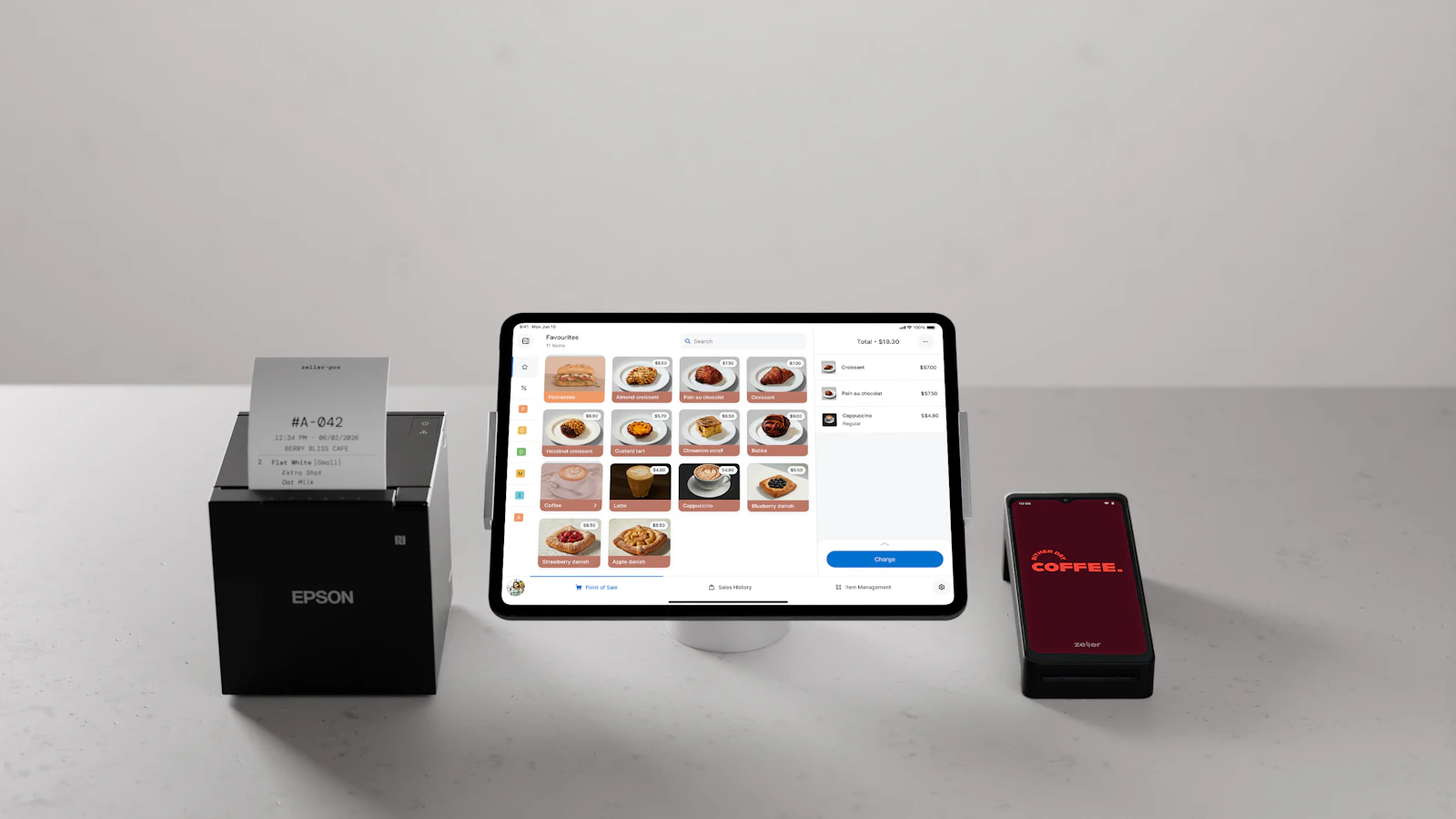
Two documents must not become two sales
Receipt and invoice can represent one transaction. Rebuilding the basket can double revenue, stock, payment and VAT.
4. Returns, warranties and expenses
The transaction must remain findable. Print a legible reference and retain history; do not automatically refuse a search just because thermal paper faded.
A company may request invoice to support an expense. Check true buyer: employee may be contact, not billed entity.
If the customer asks to change identity after issue, follow the correction procedure and do not overwrite the PDF.
5. Receipt and invoice in BelloPOS
Lite prints 58/80 mm receipts with header and VAT by rate. Go turns the sale into numbered PDF/A4 invoice with customer. Pro adds quote, order, delivery, invoice and credit lineage.
| Need | Plan | Result |
|---|---|---|
| Counter receipt | Lite | Sale and reprint |
| Customer record | Lite | Individual/company |
| Invoice from sale | Go | Numbered PDF/A4 |
| VAT by product | Lite+ | Breakdown |
| Commercial chain | Pro | Quote to credit |
| DGI transmission | Not direct | Exports only |
Configure header and run a real test in BelloPOS invoicing.
Mistakes to avoid
- Saying receipt always suffices.
- Creating second sale for invoice.
- Billing employee instead of company.
- Omitting B2B ICE.
- Giving receipt and invoice same number.
- Hiding VAT rates.
- Discarding history when paper fades.
- Changing customer after issue without trail.
Frequently asked questions
Can a receipt serve as invoice?
Yes for certain business sales of products or goods to individuals where Article 145 and its fields apply. Do not generalise to all cases.
Can a company accept a receipt?
It generally requests an invoice in its identity for accounting. Confirm its requirements and applicable rule.
Can I invoice after the sale?
Yes by linking to the existing sale and correct customer without doubling stock, payment or revenue.
What belongs on the receipt?
Article 145 provides seller, operation order, date, quantity/price and VAT where applicable for the covered receipt.
Do receipt and invoice share a number?
They retain their own references while pointing to the same sale.
Which BelloPOS plan?
Lite for receipts and records; Go for numbered invoice from sale; Pro for document chain.
What to take away
Give a receipt where the B2C case permits and an invoice where identity or professional workflow requires it. Both stay linked to one sale.
Sources
The figures and rules quoted above come from these pages, read on the date given in the article.
- Moroccan General Tax Code 2026, DGI, read 29 August 2026
- Ministry of Justice, Law 104-12 on freedom of prices and competition, Article 58
- BelloPOS numbered PDF invoices and fields, read 29 August 2026
- BelloPOS quotes, orders, deliveries, invoices and credit notes, read 29 August 2026
- BelloPOS Lite, Go and Pro pricing, read 29 August 2026
Test both outputs from one sale
Create a demonstration sale, print its receipt, then issue its invoice to a fictional company without duplicating it.
Read next
Other practical guides on the same subject: