
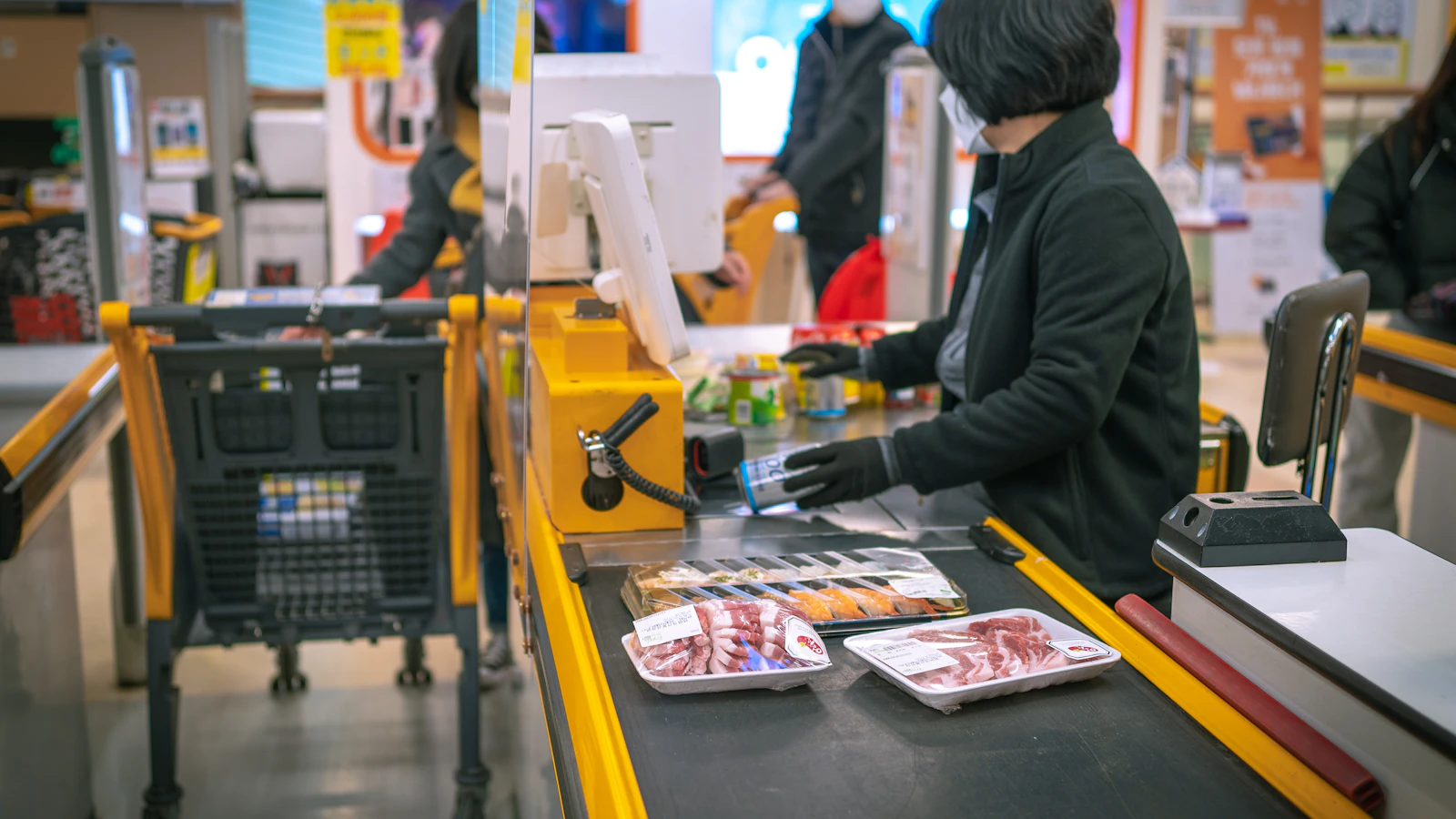
In Casablanca, the right system starts with counter throughput: a neighbourhood grocer needs fast scanning, simple stock and readable customer credit, while a mini-market or supermarket also needs several users, structured deliveries and sometimes several lanes. The till should keep selling when the internet fails, then produce a usable close, stock count and reorder list. BelloPOS fits one premises that wants a local Windows database. It does not synchronise several shops in real time, so do not choose it for that requirement.
In brief
- The queue decides before the feature list. Measure basket size and checkout time during busy periods.
- One barcode should work four times: receiving, shelf, sale and stock count, without recreating the item.
- The credit book can become a detailed customer balance, with sales, part-payments and history.
- One account per person protects the close. Voids, discounts and drawer openings remain attributable.
- Several tills in one shop and several shops are different projects. BelloPOS Pro covers the first on a local network, not the second in real time.
1. Grocer, mini-market or supermarket: three different loads
The national grocery and mini-market POS guide covers loose goods, dates and customer credit. The supermarket POS guide deals with large catalogues and teams. In Casablanca, identify the actual load of the premises before the label over its door.
| Format | Till priority | Useful setup | Signal to change |
|---|---|---|---|
| Neighbourhood grocer | Pass best sellers quickly and keep customer credit | PC, scanner, printer and one account per person | Manual searches slow every basket or the credit book no longer reconciles |
| Self-service mini-market | Receive, label, scan, count and reorder | Dedicated station, scanner, printer, drawer and minimum stock | Two people take money together or the queue blocks the aisle |
| Multi-lane supermarket | Share catalogue, prices and rights inside one building | Local server, terminals, printers and fallback procedure | The last lane misses changes or one fault stops every lane |
| Several shops | Synchronise stock, prices, customers and sales | Cloud multi-site product designed for conflicts | BelloPOS is not suited to live sharing |
Do not size the system on a quiet day. During three busy periods, count baskets, items per basket, time from first scan to receipt, price searches, voids and waiting customers. This shows whether to clean the catalogue, move the scanner, train the team or open a second lane. A larger screen fixes none of those causes.
2. An item’s route from carton to receipt
Stock becomes dependable when the same item crosses one chain. A supplier code must not become one reference at receiving, another on the shelf and a third at checkout. Our EAN and GTIN barcode guide explains which codes to retain and when to create one.
- Receiving: Scan the reference and record quantity, purchase price, supplier and any delivery-note difference. Goods not received in the system cannot produce correct stock.
- Shelf: Displayed price, till price and sales unit should match. Give loose goods a clear unit or label rather than a free-text line.
- Sale: The scan calls the product, planned price and VAT, then removes quantity. Any manual override needs a right and an audit trail.
- Reorder: Minimum stock turns sales speed and supplier lead time into a work list. It does not order blindly, it tells you what to inspect.
- Stock count: Count by aisle and back-room zone, freeze movements in the active zone, and explain the difference that day.
Start with products that actually cross the counter, then complete them at each delivery. A mass entry before opening creates many untested records. Progressive creation, with code, unit, cost and sale checked, builds a cleaner catalogue without shutting the shop.
Customer credit follows the same rule. Create a named record, attach each sale, record each part-payment and provide a detail when asked. The balance is neither collected revenue nor cash in the drawer. Separate cash, card and credit at close so the team does not chase a false cash variance.
3. Use the queue as the buying test
A useful demonstration reproduces a real Casablanca basket, not five products prepared by the vendor. Bring twenty items, including one with no code, two similar formats, a discount, return, split payment and credit sale. Run it yourself.
| Measure | Observe | Correction before a second lane |
|---|---|---|
| Checkout time | First scan to receipt, excluding bank wait | Shortcuts, catalogue, scanner and training |
| Manual search | Missing products and unread codes | Remove duplicates and create at receiving |
| Voids and overrides | Count, reason and user | Rights, labels and manager approval |
| Internet outage | Sale, receipt, close and reconnection | Choose what stays local and document sync |
| Peripheral fault | Disconnect scanner, printer or drawer | Keyboard route, fallback receipt and replaceable hardware |
If the lane remains slow, watch the motion before buying. A distant scanner, damaged labels, duplicated products and an uncontrolled discount key consume more seconds than a processor. Add a second checkout only after the first is clean and two simultaneous queues remain measurable.

Customer credit is not a discount or payment
A credit sale creates a receivable from a customer. It belongs in their history and a separate total, then falls when payment is recorded. Never mark it as cash merely to close the ticket, or the drawer will be short by exactly the credit amount. Define who may grant credit, a limit, review date and the evidence given to the customer.
4. What is genuinely specific to Casablanca
HCP’s 2023/2024 mapping counts 147,440 for-profit establishments in Casablanca prefecture. Of these, 65,423 are retail and 7,733 wholesale, or 73,156 commercial establishments. Those categories extend far beyond food, so they do not give a grocery count or market share. They do establish the scale of the distribution fabric a till must fit.
- Neighbourhood and credit: Customer records, detailed balances, part-payments and authorisation rights.
- Self-service: Clean codes, labels, aligned prices, minimum stock and zone counts.
- Supply: Receiving matched to supplier note, cost and back room.
- Growth: Second local lane when the queue proves it, different multi-site system when a second address opens.
The regional monograph describes a very dense commercial offer in which traditional networks remain largely predominant while modern distribution accelerates. That is the coexistence of the credit book and counter service with barcode self-service. Useful software does not force a grocer to imitate a hypermarket; it keeps the same data clean when the shop adds aisles, users or a second lane.
E-DATA also documents 2,045 shops at Derb Omar, with 95,000 m² of sales floor and 60,000 m² of storage. Those figures describe that site, not the district of your mini-market. They do illustrate how close wholesale, storage and retail sit in Casablanca’s chain. Keep supplier, cost, quantity, batch where needed and delivery discrepancy in the same operation.
5. Put the till into service without stopping the shop
Work in layers and retain a route back. Every stage should pass a clean close before the next.
| Period | Work | Pass condition |
|---|---|---|
| Days 1 to 3 | Install, create users, payments and fifty best sellers | A basket, return and close reconcile |
| Week 1 | Create unknown products at sale and receiving | Manual searches fall each day |
| Week 2 | Enter purchases, suppliers, minimum stock and back room | One item follows from carton to receipt |
| Week 3 | Bring in customer balances with an opening date | Old book and new total reconcile and are signed |
| Week 4 | Run a stock count by aisle | Each difference has a cause, correction and owner |
| After measurement | Add a lane or change architecture | Decision follows queue times and sharing need |
Before cut-over, export products, customers and stock, make a backup, restore it on a second PC and print the fallback sales procedure. For hardware and local setup, our cash-register buying guide for Casablanca gives the quote, warranty and failure checks.
Mistakes to avoid
- Entering the entire catalogue overnight. Untested records create duplicate products, units and prices.
- Calling credit cash. The drawer becomes short by the receivable.
- Adding a lane before cleaning the first. Two terminals duplicate a bad catalogue faster.
- Confusing LAN and multi-site. A database in the shop does not synchronise another address.
- Counting while selling. Freeze one zone, count it, reopen it and move on.
- Never restoring the backup. An untested copy is not yet recovery.
Frequently asked questions
Which POS should a Casablanca supermarket choose?
Choose for lane count, catalogue size, receiving, user rights and data sharing. A local multi-terminal database may suit one premises. Several synchronised addresses need a cloud multi-site product.
How does grocery POS differ from supermarket POS?
A grocer prioritises speed, customer credit and gradual computerisation. A supermarket adds multiple lanes, central catalogue, tighter rights, structured receiving and a shared failure procedure.
How do I replace the credit book?
Create one record per customer, bring in the agreed balance on a dated opening, attach every sale and payment, and run the old book in parallel during checking. Keep credit separate from cash at close.
Do I need the internet to sell?
Not with local POS designed to work offline. Still test sale, receipt, close and restart with the cable removed. Cloud services and synchronisation may remain unavailable.
When should I open a second checkout?
After measuring several busy periods and cleaning catalogue, scanner placement, motions and rights. Open it when two simultaneous queues persist, not to compensate for slow product search.
Can BelloPOS manage several supermarkets?
Not in real time. BelloPOS Pro can link several terminals inside one premises over a local network. It does not synchronise stock, customers and sales across stores.
What to take away
In Casablanca, grocer, mini-market and supermarket differ at the counter: basket size, scan time, credit, users, receiving and lanes. Start with clean data, let the same code cross receiving, sale and count, then add a terminal only when the queue proves it. BelloPOS fits a local premises, not several synchronised addresses.
Sources
The figures and rules quoted above come from these pages, read on the date given in the article.
- HCP, 2023/2024 Economic Establishment Mapping, results published March 2025
- Casablanca-Settat E-DATA, commercial establishments and Derb Omar figures, read 31 July 2026
- Official Casablanca-Settat monograph, traditional retail and modern distribution
Test a basket and close before buying
Install BelloPOS Lite on a Windows PC, scan your best sellers, create two users and a credit customer, then test the basket, receipt, outage, close and backup.
Read next
Other practical guides on the same subject: