A cafe turns on one thing: the speed between “one black coffee and a croissant” and the drawer opening. Everything else, terrace tables, takeaway, regulars, follows from that. Here is how uniCenta oPOS, Aronium and BelloPOS keep up with eight in the morning.
The short answer
- Aronium has a free “takeaway” plugin that separates dine-in from takeaway and highlights it on screen. That is precisely a cafe’s gesture, and it is free.
- Its “named orders” plugin, also free, gives every open order a name: exactly what you need to call a customer when their drink is ready.
- uniCenta has native cafe and bar screens and a floor plan for the terrace, with nothing extra to buy.
- BelloPOS Lite is enough for many cafes: free for life, offline, Arabic receipts, up to three users.
- The deciding criterion is the number of taps to sell a coffee. Count them yourself on all three; it takes ten minutes.
The solutions compared
Three desktop programs, and one test: take twenty drink orders in ten minutes without a mistake. What separates them lives in ergonomic detail, not in feature lists.
uniCenta oPOS

A Java desktop till published under the GNU GPL v3 free licence. Multi-location, multi-terminal, multi-user, 17 languages, backed by a MySQL or MariaDB database. Version 5.4.0 added a WooCommerce integration. The project is distributed on SourceForge, where its last update is dated 10 August 2025.
Aronium

A native Windows till in two editions: Aronium Lite, free and with no registration, and Aronium Pro, which connects several registers to one database. Everything else is added through plugins, free or paid, billed per store.
BelloPOS

Our Windows till software, built in Morocco. It runs 100% offline: no sale depends on the connection. The interface and the receipts exist in French, Arabic and English. Three tiers: Lite free for life, Go and Pro bought once, never subscribed to.
The comparison, criterion by criterion
A cafe’s criteria, in the order of the day.
| The criterion | uniCenta oPOS | Aronium | BelloPOS |
|---|---|---|---|
| Counter speed | Customisable sales screens, which lets you put the ten best-selling drinks front and centre. | Fast interface and clear sales screen, with a reputation for counter efficiency. | Sales screen with catalogue, built for recurring items. |
| Dine-in or takeaway | Depends on how the screens are configured. | Takeaway plugin, free, which separates the two and highlights them. | Handled in Pro’s restaurant module. |
| Calling a customer when the order is ready | Through tracking open tickets. | Named orders plugin, free: every order carries a name. | Order tracking in Pro’s restaurant module. |
| Terrace and tables | Native restaurant screens with a floor plan. | Named orders, or one till per zone with Aronium Pro. | Table management in Pro’s restaurant module. |
| Second till in summer | Yes, natively. | Aronium Pro, $100 a year per store. | Networked terminals on Pro. |
| Customer accounts and regulars | Customer records and history. | Customer records. | Customer records from Lite; the balances that carry a regular’s tab from Go. |
| Works offline | Yes. | Yes. | Yes, 100% offline. |
| Arabic receipt | Depends on configuration. | Depends on configuration. | Built in and tested. |
| 5-year cost | 0 MAD in licences, plus your time. | 0 MAD on Lite, about 4,700 MAD on Pro per store. | 0 MAD on Lite, 9,000 MAD on Go, 40,000 MAD on Pro, once. |
| Who it suits | A cafe with a technical profile and a taste for free software. | A coffee shop that wants dine-in and takeaway cleanly separated, at no cost. | A Moroccan cafe that prints in Arabic and keeps regulars’ tabs. |
What it really costs over five years
A cafe often needs only one till, which makes the free versions very relevant. Here are the paid tiers anyway, for the day you open the terrace and the second station.
| The solution | Over 1 year | Over 3 years | Over 5 years |
|---|---|---|---|
| Aronium Pro ($100/year per store) | 940 MAD | 2,820 MAD | 4,700 MAD |
| BelloPOS Go (9,000 MAD, once) | 9,000 MAD | 9,000 MAD | 9,000 MAD |
| BelloPOS Pro (40,000 MAD, once) | 40,000 MAD | 40,000 MAD | 40,000 MAD |
| Moroccan reference: Caisse Manager, till + stock + mobile (410 MAD/month) | 4,920 MAD | 14,760 MAD | 24,600 MAD |
The amounts above are worked out from the public prices recorded on 27 July 2026, with VAT added where a price is quoted excluding tax, and with no commercial discount. For prices in dollars, the rate used: 1 USD = 9.4 MAD, recorded 27 July 2026. Redo the sum with the day’s prices before you decide: they move, and it is your money.
For a single-till cafe, the honest conclusion is that you probably have nothing to pay. Aronium Lite and BelloPOS Lite are free and cover a counter. Spending only arrives with the second till, a terrace managed as tables, or going beyond three users.
Eight in the morning, minute by minute
It is the only moment of the day that genuinely separates three cafe tills. Here is what happens, and what each one does about it.
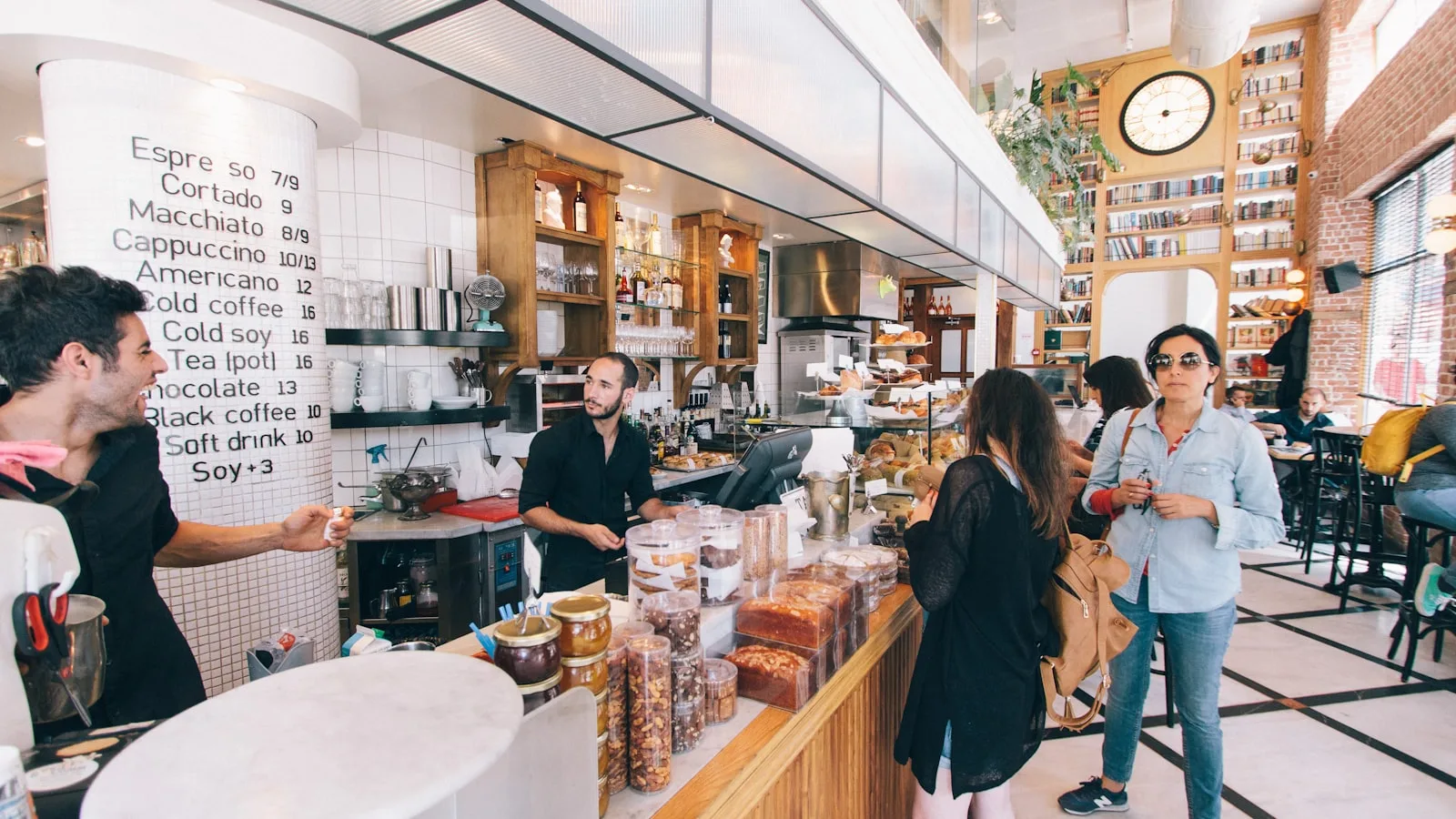
- Twelve people queuing. The number of taps to sell an americano decides everything. Put your ten best sellers on the first page on all three programs, then count. A two-tap difference is hours across a year.
- Half of them takeaway. Aronium’s free plugin shows clearly which, which avoids the classic error of a takeaway served in a cup. With the other two it is handled through a separate item or the restaurant module.
- A customer asks for their name on the order. Aronium’s free named orders plugin is made for exactly that. It is a small detail that turns a queue into an organised service.
- The terrace opens at ten. Here uniCenta’s native restaurant screens and BelloPOS Pro’s restaurant module take the advantage back: managing open tables is not the same as managing a queue.
- A regular asks to put it on their tab. BelloPOS’s customer balances, included from Lite, cover this very Moroccan case at no extra cost.
- The midday power cut. All three being offline, none loses a connection. What matters then is backups: automatic on BelloPOS Go, to be organised yourself on the other two.
What is missing, and who it matters to
The point that decides it for a Moroccan business. Aronium publishes fiscal plugins, but they target two specific countries: Saudi Arabia, with the E-invoice KSA plugin (free) and Fatoora for ZATCA phase 2 (8 dollars a month), and Vanuatu, with VSMS (10 dollars a month). There is no Moroccan module. This is not a reproach: a publisher builds for the markets it sells into, and Aronium has never claimed to cover Morocco. But since e-invoicing is currently the most active subject in the Moroccan market, it is a factor to weigh now rather than in two years (checked on aronium.com on 27 July 2026).
For a cafe that only issues receipts, the absence of a Moroccan invoicing module will change nothing day to day. It becomes a real subject the day you invoice a neighbouring company for its coffee breaks, a public body for a seminar or a caterer for a bulk order. If that case already applies to you, it is better to choose accordingly now than to migrate in two years.
The ten-minute test, to run at the counter
Install all three programs on the counter machine, put your ten best-selling drinks on the first page of each, and take twenty real orders with each. Count the taps, note the hesitations, and ask the person who will actually be behind the counter every morning. Their opinion is worth more than yours on this specific point, and more than any comparison.
How to choose: the twenty-minute method
The general method, tightened to what matters in a cafe.
- Count your real needs before you look at a single price. How many tills, how many users, do you invoice businesses, do you need stock, do you take delivery orders. Five answers, and half the offers rule themselves out. Our guide to choosing a till works through this questionnaire.
- Test the checkout, not the demo. Ask to ring up ten items, one return and one split payment, yourself, and time it. A well-rehearsed demo tells you nothing about what your cashier will face on a Saturday.
- Pull the internet cable and try to sell. That one test splits the whole market in two, and it takes thirty seconds. We go through it in detail in our offline or cloud POS comparison.
- Ask for an export of your own data before you pay anything. Products, customers, sales, in a file you can open. If the answer is vague, you already know how this ends.
- Add up five years, not one month. A subscription is compared with a one-off purchase over the time you will actually use it.
- Check that the receipt prints correctly in Arabic before you commit. On a thermal printer that is not a given, and it takes a minute to see.
- Ask who answers the phone on a Saturday at 8pm, and in which language. That is exactly when a till breaks.
- Count the taps to sell a coffee. Then multiply by the number of coffees you sell a day.
- Have the person who runs the counter test it, not just you.
What each solution does better
uniCenta oPOS
Its licence. uniCenta oPOS is free software under the GNU GPL v3: you can install it on as many machines and in as many shops as you like, with no licence fee, and nobody can withdraw your right to use it. The database is yours, readable, on your own server. If independence from a software publisher matters to you more than anything else, this is the right answer and we are not going to pretend otherwise. Its multi-location support and its fifty reports are serious work, and rare at this price.
Aronium
Its plugin model, and its value for money. Aronium Lite is free, complete and asks for no registration: you download it and you sell. Aronium Pro at 100 dollars a year per store is honestly cheap for what it does, and the free plugins (stock control, expiry dates, named orders, takeaway, notes, dual currency) cover needs that others charge for. The publisher keeps a detailed changelog, which is a good sign about a piece of software’s health.
Mistakes to avoid
- Choosing without putting your ten best sellers on the first page. A badly arranged till is slow whatever the software.
- Neglecting the dine-in and takeaway split. It is the most frequent service error in a coffee shop.
- Forgetting regulars’ tabs. In Morocco it is a common practice and it deserves tracking in the till rather than in a notebook.
- Taking uniCenta for a simple counter. Its power does nothing for you here and its setup will cost you evenings.
- Not organising backups. Three offline programs means three backups to run yourself, except on BelloPOS Go and Pro where it is automatic.
Frequently asked questions
Which free POS software for a cafe?
Aronium Lite and BelloPOS Lite are both free and enough for a counter. Aronium has the advantage of its free takeaway and named orders plugins; BelloPOS has the advantage of Arabic receipts, customer balances for regulars and support in Darija.
How do you separate dine-in and takeaway?
Aronium offers a dedicated free plugin that adds the choice to each order and highlights it. With uniCenta it is configured in the screens. With BelloPOS the distinction is handled in the Pro tier’s restaurant module.
Can these programs handle a terrace?
uniCenta has native restaurant screens with a floor plan, which is the most direct. BelloPOS handles tables in its restaurant module, included in Pro. Aronium leans on named orders, which is enough for a small terrace but shows its limits beyond that.
How do you keep a regular’s tab?
BelloPOS’s customer balances, which start with Go, are made for it: you record what is owed and clear it when the customer pays. The free Lite tier holds the customer record and history but not the balance. With uniCenta and Aronium it is handled through customer records.
Is an internet connection required?
No, all three are desktop programs. That is a real comfort for a cafe: the morning service does not depend on the state of the line, and it is an argument online tills cannot offer.
What does equipping a cafe cost?
The software can cost zero. The real budget is hardware: a computer, a thermal printer, a cash drawer and a barcode scanner if you sell packaged goods. Count the hardware before the software, it weighs more.
Our recommendation
Coffee shop with a lot of takeaway: Aronium Lite. Free, fast, and its two free plugins, takeaway and named orders, are exactly the right tools for this trade. It is an excellent choice and we say so without reservation.
Moroccan cafe with tabs and Arabic receipts: BelloPOS Lite, then Pro if you manage tables. Customer balances from the free version and tested Arabic printing are two direct answers to local habits.
Large terrace and a technical profile: uniCenta oPOS. The native floor plan and restaurant screens are the most developed of the three, if you have someone to install and maintain the database.
Sources
Every claim made here about a competing product comes from its publisher’s own public page, consulted on 27 July 2026. No figure is taken from a review aggregator or another comparison.
- uniCenta oPOS: https://unicenta.com/
- uniCenta oPOS: https://sourceforge.net/projects/unicentaopos/
- Aronium: https://www.aronium.com/
- Aronium: https://www.aronium.com/en/plugins
- BelloPOS: https://bellopos.app/fr/
- BelloPOS: https://bellopos.app/fr/pricing/
The trademarks named here belong to their respective owners. They are mentioned for the purpose of comparison, and this article implies no partnership with or endorsement by them.
Test it at the counter, one morning
BelloPOS Lite is free for life. Install it, put your ten best sellers on the first page and run a real morning service. You will know straight away.
Read next
Other practical guides on the same subject: